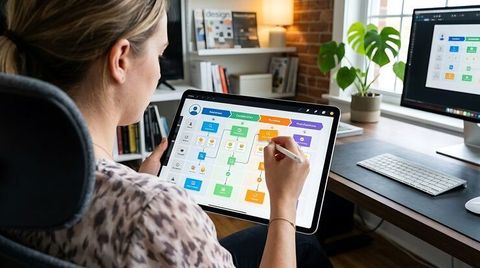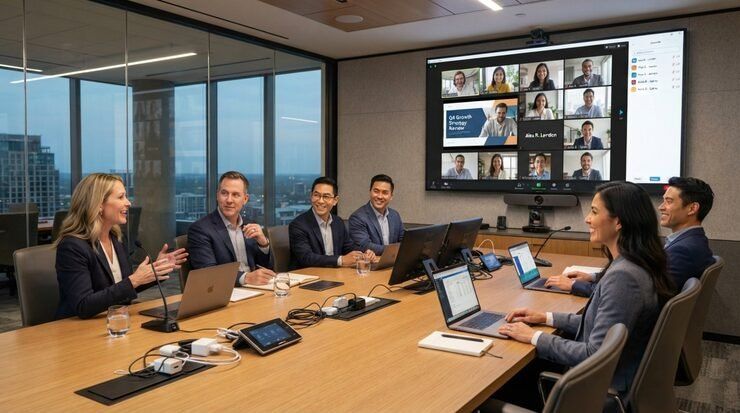
Enterprise video conferencing setup has become a core part of how distributed teams communicate, collaborate, and make decisions.
A modern meeting room is no longer simply a table surrounded by chairs and a screen. It combines cameras, microphones, displays, speakers, network connectivity, room controls, and collaboration software into a coordinated environment.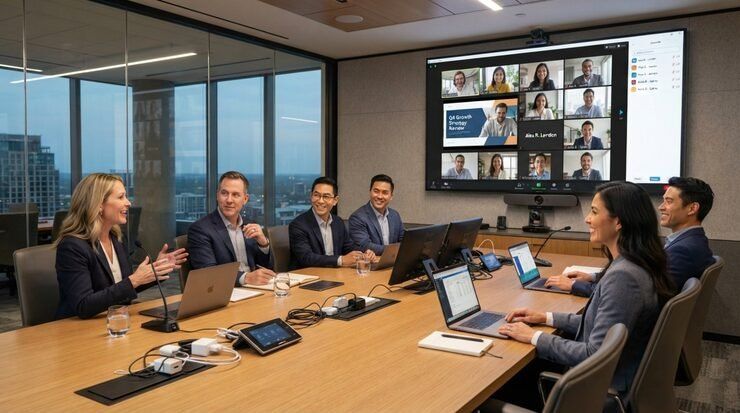
The shift toward hybrid work has also changed what organizations expect from meeting spaces. Participants may join from offices, homes, regional locations, or different countries, making consistent audio and video quality essential for productive communication. Room design therefore needs to account for both people physically present and those participating remotely.
A well-planned meeting room connects technology with the physical environment rather than treating equipment as separate additions. Understanding room size, camera positioning, microphone coverage, acoustics, displays, connectivity, accessibility, and user controls provides a practical foundation for designing an enterprise conferencing environment.
Start With the Room, Not the Equipment
The physical characteristics of a meeting room influence almost every technology decision. A small huddle room has very different requirements from a large boardroom or training space, so equipment should be selected after the room's purpose and capacity are established.
Room dimensions, seating arrangement, viewing distance, lighting, wall materials, windows, and ceiling height can all affect conferencing performance. For example, a camera positioned too far from participants may produce a wide image in which individual speakers are difficult to see, while poor lighting can reduce image clarity even when the camera itself is capable.
The table arrangement also matters. A long rectangular table may require different microphone placement from a compact round table. Similarly, displays should be positioned so that both in-room participants and remote attendees can comfortably follow presentations and conversations.
A useful planning process begins with questions such as:
- How many people normally use the room?
- Is the space primarily for discussions, presentations, or both?
- Will participants frequently share documents or applications?
- Does the room need to support multiple meeting platforms?
- Are remote participants expected to interact equally with people in the room?
These answers establish the foundation for the technical design.
Build the Video System Around Participant Visibility
The camera system should make remote participants feel connected to the conversation. This requires more than simply pointing a camera toward the center of a conference table.
Camera field of view should correspond to the room's seating layout. A compact room may need a relatively wide-angle camera, while a larger conference space may benefit from cameras with intelligent framing or speaker-tracking capabilities.
Camera height is another consideration. Positioning the camera close to eye level generally creates a more natural perspective than placing it extremely high or low. The display and camera should also be arranged so remote participants appear to be looking toward the people speaking rather than noticeably away from them.
Modern conferencing systems can include features such as automatic framing, speaker tracking, and multiple-camera configurations. These capabilities can improve meeting dynamics, particularly in larger rooms where participants may speak from different positions.
However, automation should support the room rather than complicate it. A technically sophisticated system can still produce a poor experience if framing behaves unpredictably or users cannot easily control it.
Design Audio Before Adding More Visual Features
Audio quality is often more important to meeting comprehension than visual sophistication. A participant can tolerate a less impressive image, but persistent echo, background noise, microphone dropouts, or unclear speech can make a meeting difficult to follow.
Microphone selection and placement should account for the number of participants and their positions. Ceiling microphones, tabletop microphones, integrated camera microphones, and distributed microphone arrays can each work in different room configurations.
Acoustic treatment is equally important. Hard surfaces such as glass, bare walls, and large conference tables can reflect sound and create reverberation. Carpeting, acoustic wall panels, ceiling treatments, curtains, and other appropriate materials can help control reflections.
Speaker placement should also be considered alongside microphones. Speakers that are too close to microphones can increase the possibility of acoustic feedback or echo. A balanced design keeps sound intelligible throughout the room without creating unnecessarily high volume levels.
Choose Displays for Collaboration, Not Decoration
Displays are central to modern meeting rooms because they provide the visual connection between in-room and remote participants. The appropriate configuration depends on room size and meeting behavior.
A smaller room may work effectively with one display showing remote participants or shared content. Larger rooms may benefit from separate displays so that people can see participants while simultaneously viewing a presentation or collaborative workspace.
Display positioning should account for viewing angles and distance. If participants have to turn significantly away from the table to see content, the room becomes less comfortable during extended meetings.
Display resolution is only one part of the decision. Brightness, viewing angle, mounting height, screen size, and content layout can have a greater effect on practical usability.
The design should also consider what happens when no meeting is underway. A room that supports presentations, digital signage, scheduling information, or simple room-status information can make better use of the display infrastructure.
Integrate the Technology Through a Simple Control Layer
An enterprise meeting room can contain numerous devices, but users should not have to understand the underlying architecture to start a meeting.
A practical control interface can bring common functions together, including:
- Starting or joining a meeting
- Adjusting microphone settings
- Controlling cameras
- Selecting presentation content
- Managing room displays
- Ending the meeting
Consistency is particularly valuable when an organization operates many rooms. Employees should not have to learn a completely different interface every time they move between offices.
Room controls can be provided through dedicated touch panels, integrated conferencing consoles, or other interfaces supported by the chosen platform. The important consideration is not the physical format but whether common actions are obvious and predictable.
Treat Network Connectivity as Part of Room Design
Video conferencing depends heavily on reliable network connectivity. High-resolution video, audio, screen sharing, cloud applications, and collaborative tools can all place demands on the organization's network.
Network planning should therefore happen alongside hardware selection rather than after installation. Wired connections may be appropriate for fixed conferencing equipment, while wireless connectivity can support participant devices and flexible collaboration.
IT teams may also consider traffic management, network segmentation, security controls, device authentication, monitoring, and redundancy according to organizational requirements.
Security deserves particular attention in enterprise environments. Cameras, microphones, meeting systems, user accounts, and collaboration platforms can all become part of the organization's technology environment. Access controls and device-management policies should reflect the sensitivity of meetings and shared information.
Make the Room Easy to Use and Maintain
A successful meeting room is not finished when the equipment is installed. Operational usability determines whether employees actually experience the intended benefits.
Users should be able to enter the room, identify the primary controls, connect their content, and begin communicating without requiring technical assistance for routine activities.
Cable management also matters. Loose cables create clutter and can make troubleshooting harder. Clearly labeled connections, accessible equipment compartments, and organized power distribution can simplify maintenance.
IT teams should establish procedures for firmware updates, device monitoring, equipment replacement, troubleshooting, and periodic testing. A room that works perfectly during installation can develop problems later if its components are not maintained.
Design for Different Meeting Sizes and Work Styles
Enterprise environments often need several room configurations rather than one universal design. A small collaboration room may prioritize quick conversations, while a boardroom may require multiple cameras, larger displays, advanced microphone coverage, and presentation capabilities.
Larger spaces can introduce additional challenges. Multiple microphones and speakers may be necessary, and camera coverage may need to extend across a wider seating area. In these environments, system integration becomes increasingly important because individual components must operate together without creating conflicting controls.
Accessibility should also be considered. Screen placement, seating arrangements, captioning capabilities, clear audio, and straightforward controls can make meetings more usable for people with different needs.
Plan the Room Around the Hybrid Meeting Experience
The strongest enterprise video conferencing setup treats remote participants as active members of the meeting rather than people appearing on a screen.
Camera placement should allow remote attendees to see speakers clearly. Microphone coverage should allow them to hear participants without requiring people to lean toward a specific microphone. Displays should make remote participants visible enough to support natural interaction.
Room design can also reduce common hybrid-meeting problems such as side conversations that remote participants cannot hear, people speaking while facing away from microphones, or presentation content becoming difficult to read.
Good design is therefore a combination of technology, acoustics, furniture arrangement, network infrastructure, and user behavior.
Conclusion
Modern meeting room design requires more than selecting cameras and displays. An effective enterprise video conferencing setup connects the physical room, conferencing technology, network infrastructure, acoustics, security, and user controls into one coherent experience.
The most practical approach begins with the room's purpose and users, then builds the technology around those requirements. When camera coverage, audio quality, displays, controls, connectivity, accessibility, and maintenance are considered together, the meeting room becomes a dependable environment for both in-person and remote collaboration.